SilverMind and Lumosity both offer short daily brain exercises, and both come up when a son or daughter searches for "a brain app for mom". They are built for different people. One sentence up front, because it matters for everything below: SilverMind is our own app. We have tried to make this comparison the kind we would want to read about someone else's product, with every claim about Lumosity taken from its own website and US App Store listing, checked on 2 October 2026, and every SilverMind figure current as of 17 October 2026.
Quick Answer
- Choose SilverMind if the person is in their 60s, 70s or 80s, finds most phone games too small or too fast, wants no ads, and would be happy with a calm 6-minute routine of 3 exercises a day. It has 23 exercises, 8 of them free for good, and works on iPhone, iPad and in any web browser.
- Choose Lumosity if the person is comfortable with a smartphone, enjoys quick, varied games and wants a large library (40+ games) with a long track record. It runs on iPhone, iPad, Android and the web.
- Not sure? Both have free versions. Install both, play for a week, and keep the one the person opens without being reminded.
SilverMind vs Lumosity: Comparison Table
| SilverMind | Lumosity | |
|---|---|---|
| Developer | SilverMind (us) | Lumos Labs |
| Designed for | Older adults | Adults of all ages |
| Exercises | 23, in 5 areas: memory, speed, attention, words, reasoning | 40+, in memory, attention, speed, flexibility, problem solving, math, words |
| Daily routine | 3 exercises picked for you, about 6 minutes | Personalized workout, a fresh set of games each day |
| Pace | No countdown pressure; one task per screen | Many games are timed or speed-based |
| Text and buttons | Large text in Atkinson Hyperlegible, big spaced buttons | Standard app sizing |
| Free version | 8 of 23 exercises, no time limit | Free account with limited daily play |
| Price (US, about) | $9.99/month or $59.99/year; 7-day trial on yearly | $15/month; $36–$89/year depending on offer |
| Ads | None | No "Contains: Advertising" label on the App Store |
| Devices | iPhone, iPad, and any web browser at silvermind.app/play (also Android, Windows, Mac) | iPhone, iPad, Android, web |
| App languages | 14 | English (US listing) |
| Account | None needed; progress stays on the device | Lumosity account |
| Research claims | None of its own | Own randomized study on its assessments; more research needed on everyday carry-over, by its own description |
| Medical status | Not a medical device | Not a medical device |
Sources: Lumosity App Store listing, Lumosity website, SilverMind App Store listing, About SilverMind.
Where Lumosity Is the Better Choice
Lumosity has been around since 2007 and it shows: more than 40 games, a 10-minute "Fit Test" to start, a personalized daily workout, and a large library to keep things fresh for years. If the person you are choosing for already plays games on their phone, likes variety and is not bothered by a ticking clock, Lumosity gives them much more to explore than SilverMind does.
Lumosity is also candid about its research. Its website describes a randomized study in which Lumosity users improved more than a control group on the app's own assessments, and adds that more research is needed to know how those gains connect to everyday tasks. That is a fairer statement than many apps make, and it applies to SilverMind too.
And Lumosity has a native Android app in Google Play. SilverMind runs on Android only through the browser version, which works but is one step less familiar for someone used to tapping an icon.
Where SilverMind Is the Better Choice
SilverMind started from the other end: not "how many games can we offer?" but "what stops an 80-year-old from enjoying a brain game?". The answers we kept hearing were small text, small buttons, timers and ads. So:
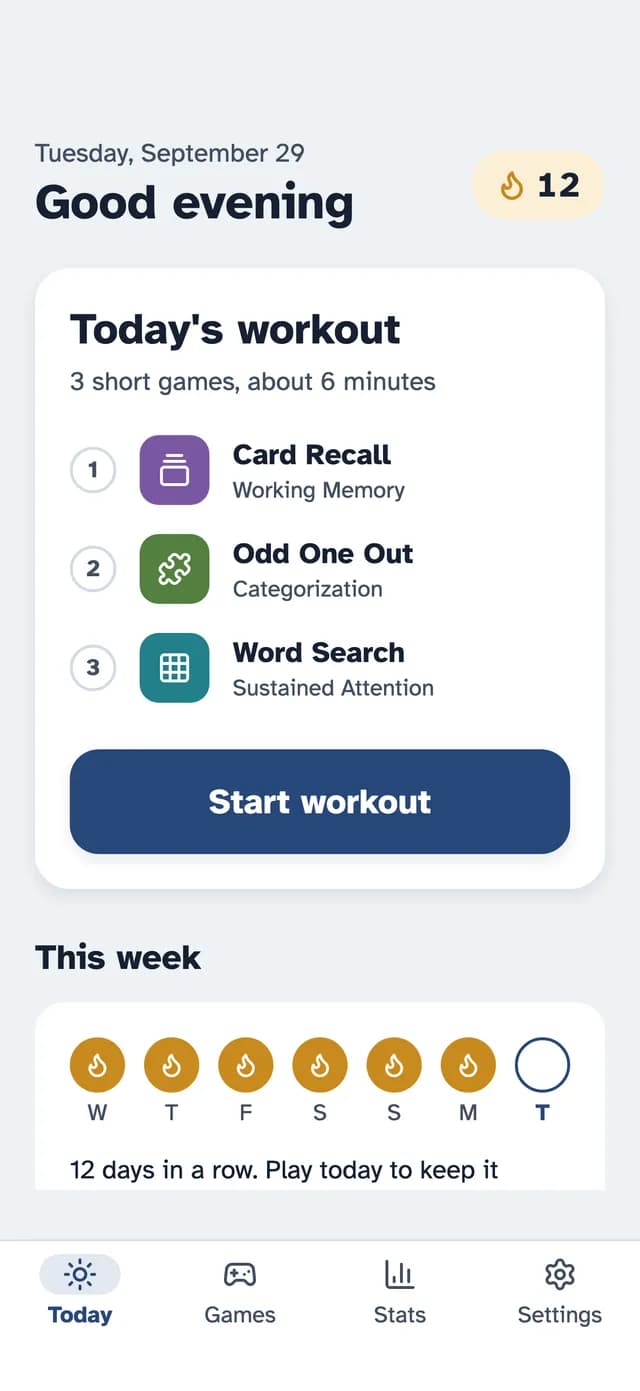
- Every screen uses large text in Atkinson Hyperlegible, a typeface designed for low-vision readers, and big buttons with space between them.
- One thing to do per screen, and no rushing. Difficulty adjusts up and down as you play, so the exercises stay interesting without becoming stressful.
- No ads, ever, including in the free exercises.
- A short routine. Each day the app picks 3 exercises, about 6 minutes in total. You can stop after one or keep going.
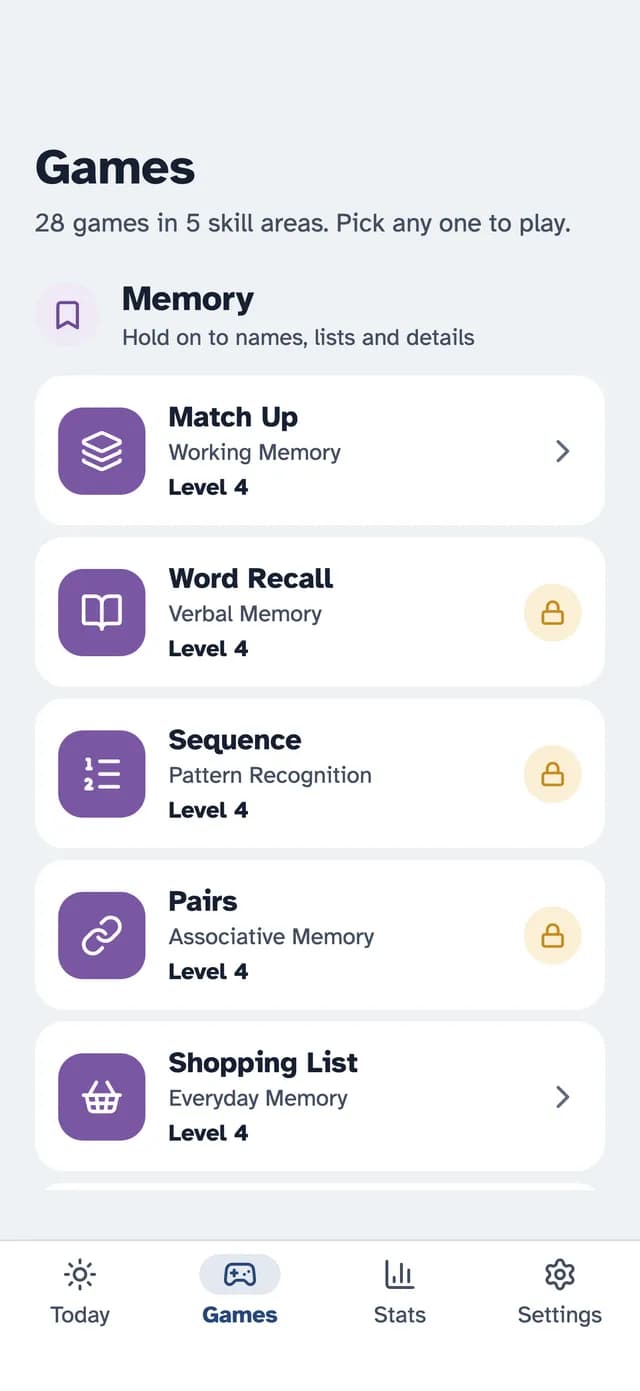
- Familiar material. Exercises like Shopping List, Pay the Bill, Name Game and Finish the Phrase use everyday situations rather than abstract shapes.
- 14 languages, so a parent who thinks in Spanish, German or Japanese can play in that language.
- No account. Nothing to sign up for; progress and settings stay on the device.
The trade-off is size. 23 exercises is plenty for a daily routine, but someone who wants a new game every day for a year will run out of novelty sooner than in Lumosity.
Price and Free Versions
Both apps are free to download and both keep most of their content behind a subscription, but the free parts differ in kind.
- SilverMind: 8 of the 23 exercises are free with no time limit and no ads: Pairs, Speed Tap, Focus, Math Rush and others. Premium unlocks everything for $9.99 a month or $59.99 a year in the US; the yearly plan starts with a 7-day free trial, and you can cancel in your Apple ID settings or, in the browser version, in the app's subscription settings. Other countries have local prices.
- Lumosity: a free account with limited daily play across the library. Premium was listed at about $15 a month in the US App Store on 2 October 2026, with yearly plans from about $36 to $89 depending on the offer.
For a parent who will play a few minutes a day, SilverMind's free exercises may be enough on their own. For someone who wants the full Lumosity library, the yearly plan is the better value.
Setting Up Either App for a Parent
Whichever you pick, a few minutes of setup make a big difference for an older player:
- Increase the system text size and turn on bold text. Our guide to setting up an iPad or iPhone for an elderly parent walks through the settings.
- Play the first session together. Sit next to them for the first exercise or two, then let them continue at their own pace.
- Know how to cancel. On iPhone and iPad, subscriptions are managed in Settings under your name. Apple explains how.
- Keep expectations honest. Neither app will prevent dementia. Both can be a pleasant daily habit, like a crossword.
If you are giving the app as a present, see how to give an app to an elderly parent.
Other Apps Worth a Look
If neither feels right, BrainHQ has the longest research record, Elevate suits people who love words and everyday math, and AARP Staying Sharp is included with an AARP membership. Our guide to the best brain training apps for seniors compares them all, and the Lumosity alternatives guide goes deeper on five calmer options.
The Bottom Line
Lumosity is the bigger, faster, better-known app, and a good fit for an older adult who is comfortable with a phone and enjoys variety. SilverMind is the smaller, calmer app built for older eyes and hands, with big text, no ads and a 6-minute daily routine, and it is the one we make. Try the free version of each for a week; the right answer is whichever one is still being opened on day eight.
Research & References
- National Institute on Aging, Cognitive Health and Older Adults.
- Rebok GW et al. (2014). Ten-year effects of the ACTIVE cognitive training trial on cognition and everyday functioning in older adults. Journal of the American Geriatrics Society, 62(1), 16–24.
- Lumosity, App Store listing and website, checked 2 October 2026.
- SilverMind, About page and App Store listing, current as of 17 October 2026.