The best way to choose among brain apps for seniors is to check seven things before you pay: readable text, big buttons, no timers, few or no ads, adjustable difficulty, clear pricing with a free trial, and an easy way to cancel. An app that passes all seven is far more likely to become a daily habit than one with the best marketing.
This checklist works for any app, including ours. For a side-by-side look at specific apps, see our brain training apps for seniors roundup.
The 7 Checks
1. Can You Read It at Arm's Length?
Open the App Store screenshots and hold the phone at a normal distance. If you squint, an older eye will struggle more. Look for plain, bold lettering and strong contrast.
2. Are the Buttons Big Enough?
Small, crowded buttons cause mistaken taps and frustration. Each screen should ask for one clear thing.
3. Is There a Clock Ticking?
Timers add pressure that many people dislike. The best apps are patient, or let you turn timers off.
4. How Many Ads Are There?
Ads interrupt, can be loud and are easy to tap by mistake. Check the App Privacy section and recent reviews for the word "ads". Our guide to brain training apps without ads explains how to spot them.
5. Does the Difficulty Adjust?
If everything is too hard, people quit; if everything is too easy, they get bored. Look for apps that adapt to how you play.
6. Is the Price Clear?
Find out what is free, what is paid, and how much. Apps that sell a subscription must show the price on the listing and again before you confirm.
7. How Do You Cancel?
On an iPhone or iPad, open Settings, tap your name, then Subscriptions. You can cancel any subscription there. If a parent is trying a free trial, put a reminder in your calendar for a day before it ends.
Quick Comparison of What to Check
| Check | Good sign | Warning sign |
|---|---|---|
| Text | Bold, large, high contrast | Thin or small fonts |
| Buttons | Large, one task per screen | Crowded menus |
| Timers | Optional or none | Countdown on every game |
| Ads | None, or only in free tier and stated | Full-screen ads between games |
| Difficulty | Adjusts as you play | Fixed level only |
| Pricing | Price and trial length shown plainly | Hidden after sign-up |
| Cancelling | Through Apple Subscriptions | Needs a phone call or email |
One Example That Fits the Checklist: SilverMind
We make SilverMind, so judge it by the same list. It uses Atkinson Hyperlegible, a typeface made for low-vision readers, with big buttons and no timers. Difficulty adjusts up and down as you play, and each day it suggests three exercises, about six minutes in total.
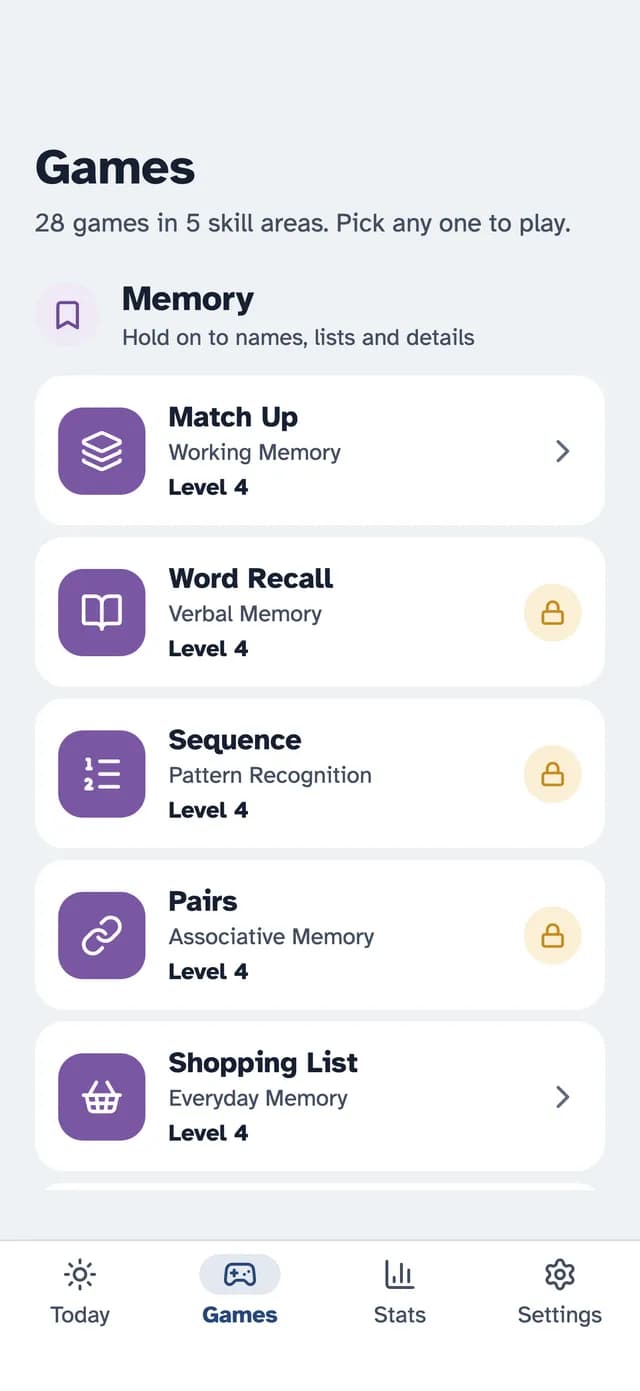
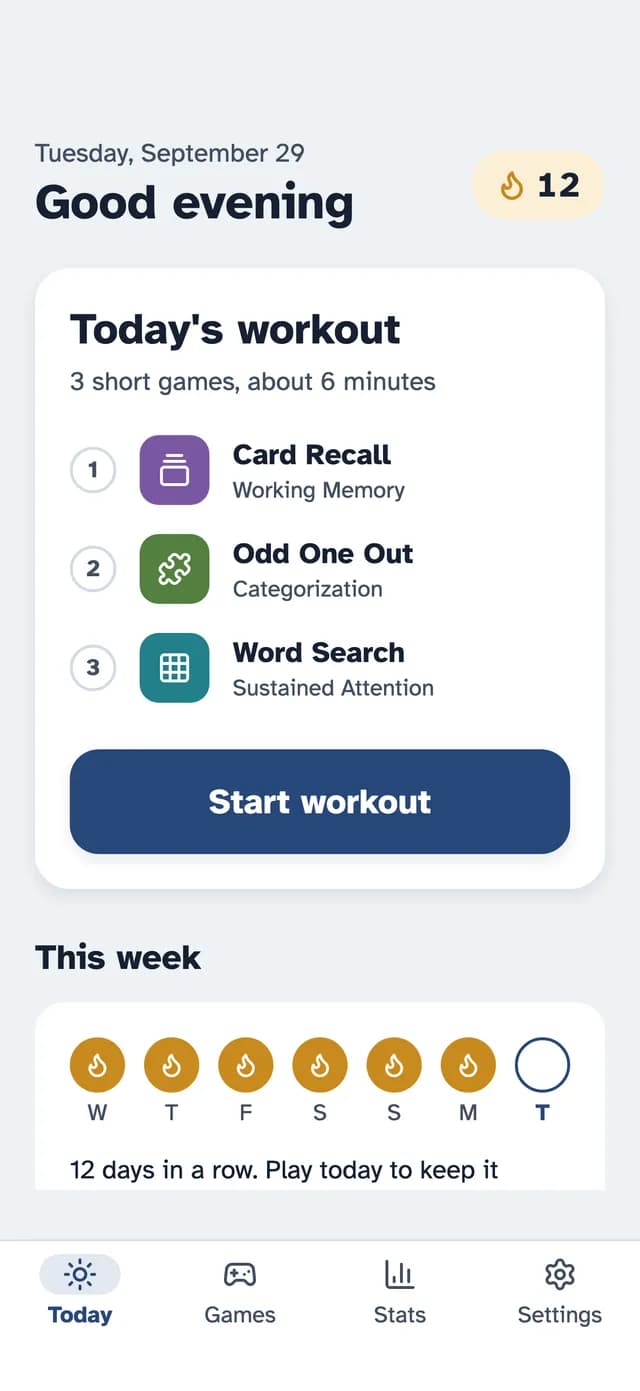
Some exercises are free with no ads, including Match Up, Word Search, Finish the Phrase and Mini Sudoku. SilverMind Premium unlocks everything and starts with a 7-day free trial, and you cancel in your Apple Account settings. It is available in 14 languages.
Try Free Before You Pay
Whatever app you pick, play the free part for a few days with your parent. If they open it by choice, the paid version is worth considering. If not, you have lost nothing. For tips on starting, see how to help elderly parents start brain games, and if the app is a present, gift an app to an elderly parent.
Keep Expectations Realistic
Brain apps are enjoyable routines, not medicine. According to the National Institute on Aging, results of brain training studies have been mixed. Pair app time with walks, conversation and good sleep.
The Bottom Line
Run any brain app through the seven checks, use the free trial fully, and set a cancellation reminder. A calm, readable, honestly priced app is worth more than a long feature list.
Research & References
- Cognitive Health and Older Adults - National Institute on Aging
- The ACTIVE Cognitive Training Study - National Institute on Aging
- Cancel a subscription from Apple - Apple Support