
The easiest iPad games for seniors who are new to tablets are tap-only games: matching pairs, word searches, solitaire and jigsaws with a few large pieces. They need no swiping skills, no fast reactions and no reading of long instructions, so the first session can end with a win.
Here are six starter picks, what makes each easy, and a plan for the first week. Once your parent is comfortable, our guide to iPad games for seniors without ads goes further.
Before the First Game
A little setup makes games far easier:
- Enlarge the text under Settings, Display & Brightness, Text Size.
- Keep only a few apps on the first home screen.
- Turn off notifications that could pop up mid-game.
- Require a passcode for purchases in Screen Time.
Our setup guide for elderly parents walks through each step.
6 Easy Starter Picks
| Game type | Skill needed | Why it is easy |
|---|---|---|
| Matching pairs | Tap two cards | Rules explain themselves |
| Word search | Tap or trace letters | Familiar from paper |
| Solitaire | Tap a card | Known rules, undo available |
| Jigsaw | Tap or drag a piece | No wrong answers, adjustable pieces |
| Finish the phrase | Tap an answer | Familiar sayings, no timer |
| Mini Sudoku | Tap a square, tap a number | Small grid, quiet pace |
1. Matching Pairs
Tap a card, tap another. If they match, they stay. Start with a few cards.
2. Word Search
A paper favorite that works well on screen. Choose bigger letters and a theme they like. More in word search for seniors.
3. Solitaire
If your parent already plays with real cards, solitaire is a natural first choice. Pick a version with tap-to-move so there is no dragging.
4. Jigsaw Puzzles
Choose a low piece count. If dragging is hard, look for a version where tapping a piece moves it. See puzzles for seniors.
5. Finish the Phrase
Completing a familiar saying uses language skills built over a lifetime, and there is nothing to learn.
6. Mini Sudoku
Only if they like numbers. A 4x4 or 6x6 grid is friendlier than the full 9x9.
A Simple First-Week Plan
- Day 1: Play one game together for five minutes. Let them do the tapping.
- Days 2 to 3: Same game, on their own, with you nearby.
- Day 4: Add a second game type.
- Days 5 to 7: Ask which one they prefer and keep that one front and center.
How to help elderly parents start brain games has more advice on keeping it light.
An Easy Option Built for Older Adults: SilverMind
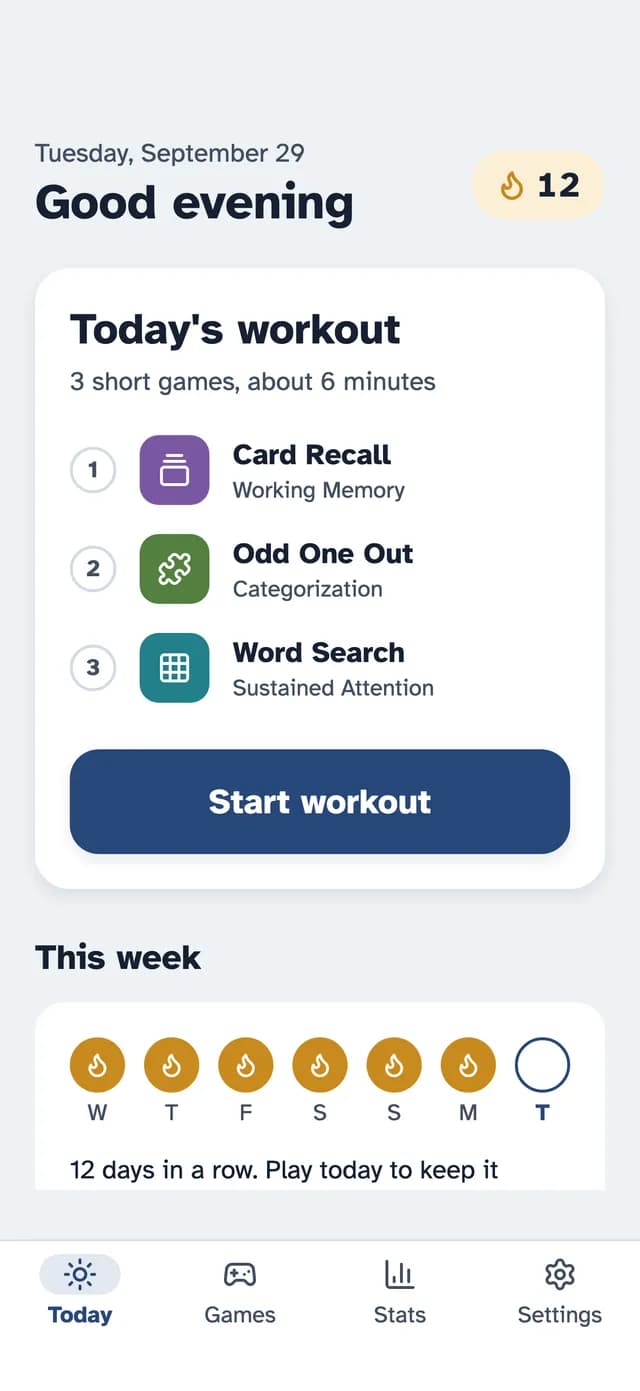
SilverMind is our iPhone and iPad app of calm exercises. Every screen has one clear task, the text is large Atkinson Hyperlegible, and nothing is timed. The Today screen suggests three short games, about six minutes, so there is nothing to choose on day one.
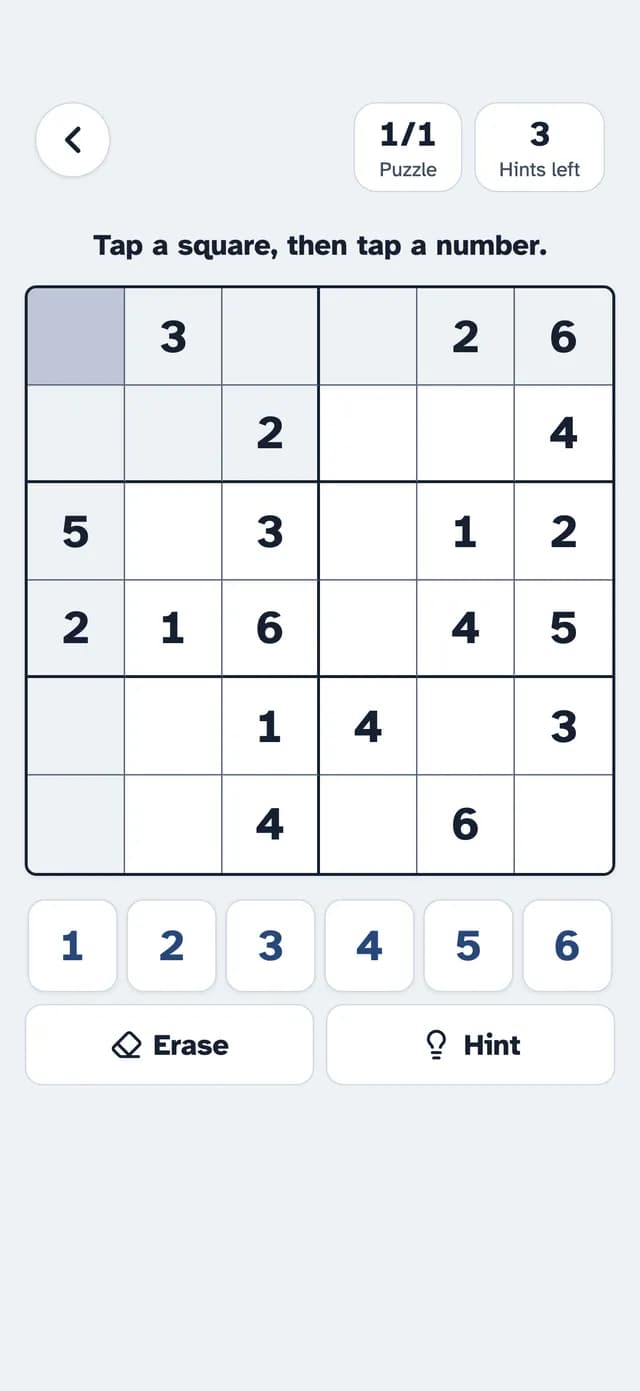
Some exercises are free with no ads, including Match Up, Word Search, Finish the Phrase and Mini Sudoku. Premium unlocks everything and starts with a 7-day free trial.
Be Patient
Learning a tablet takes practice. Praise effort, not scores, and treat mistaps as normal. Games are a pleasant pastime, not a test, and evidence that they protect memory is mixed.
The Bottom Line
Start with tap-only games they already know, keep sessions short, set up the iPad first and play together. A calm first week is the best predictor of a game that keeps getting played.
Research & References
- Cognitive Health and Older Adults - National Institute on Aging
- Accessibility - Apple Support