The best iPhone games for seniors are calm, familiar games with big text, large buttons, no countdown timers and no ads: word searches, solitaire, sudoku, trivia, jigsaws and short memory games. An iPhone fits in a pocket and works one-handed, which makes it a good place for a few minutes of play, as long as the game itself respects older eyes and fingers.
Below are seven types of iPhone games that tend to work well, what to look for in each, and how to set the phone up so playing is comfortable.
What Makes an iPhone Game Easy for Seniors
An iPhone screen is smaller than an iPad, so design matters more. Check four things in the App Store screenshots before you download:
- Text you can read at arm's length. Plain, bold letters with strong contrast beat thin or decorative fonts.
- Buttons you can hit without aiming. Targets that are big and spaced apart prevent mistaken taps.
- No rushing. Games that let you take your time feel calmer than "beat the clock" games.
- No ads or pop-ups. A tiny "X" on a full-screen ad is hard to find and easy to mistap.
If you also have a tablet, our guide to iPad games for seniors covers the larger-screen version of this checklist.
7 Types of iPhone Games Seniors Often Enjoy
| Game type | Why it suits an iPhone | Watch out for |
|---|---|---|
| Word search | Tap or drag letters, easy to pause | Tiny letters on dense grids |
| Solitaire and card games | Known rules, no shuffling | Small card faces |
| Sudoku | Short, quiet sessions | Number pads that are too small |
| Trivia | Draws on a lifetime of knowledge | Timers on every question |
| Jigsaw puzzles | Pick the piece count, pause any time | Very small pieces |
| Memory games | A minute or two per round | Fast flashing cards |
| Word-fill and phrase games | Familiar sayings, relaxed pace | Hint systems that charge coins |
1. Word Search
Word searches are one of the friendliest starting points. Look for a version with a bigger grid size option, or one that highlights words as you find them. See our word games for seniors for more ideas.
2. Solitaire and Card Games
The rules are already known, the cards never fall on the floor, and an "undo" button softens mistakes. Choose large card faces. More ideas are in card games for seniors.
3. Sudoku
Smaller grids such as 4x4 or 6x6 are a gentle way in before the classic 9x9. A hint button is useful, as long as it is free.
4. Trivia
Trivia is easy to share over a call: one person reads the question, the other answers. It rewards knowledge built over decades.
5. Jigsaw Puzzles
Digital jigsaws let you choose how many pieces to use and return later without clearing a table. On a phone, start with a low piece count so each piece stays large.
6. Short Memory Games
Matching pairs or recalling a short list takes a minute or two. Keep these low-pressure: if a game feels like a test, pick another.
7. Phrase and Word-Fill Games
Finishing a familiar saying is relaxed and satisfying, and it suits people who enjoy language more than numbers.
How to Set Up an iPhone for Comfortable Play
- Increase the text size. Settings, Display & Brightness, Text Size. Add Bold Text for clearer letters.
- Try Display Zoom. It makes everything on the screen larger, including game buttons.
- Put the game on the first home screen. Remove clutter that is never used.
- Block accidental purchases. In Screen Time, set Content & Privacy Restrictions to require a passcode for in-app purchases.
- Play the first round together. Let them hold the phone and tap for themselves.
Our full walkthrough, setting up an iPad or iPhone for an elderly parent, covers each of these step by step. If a parent is reluctant, how to help elderly parents start brain games has gentle ways to begin.
A Calm iPhone Option Built for Older Adults: SilverMind
SilverMind is our iPhone and iPad app of brain exercises for seniors. It uses Atkinson Hyperlegible, a typeface made for low-vision readers, with big buttons and one clear task per screen. Each day it suggests a short workout of three exercises, about six minutes in total, and nothing counts down against you.
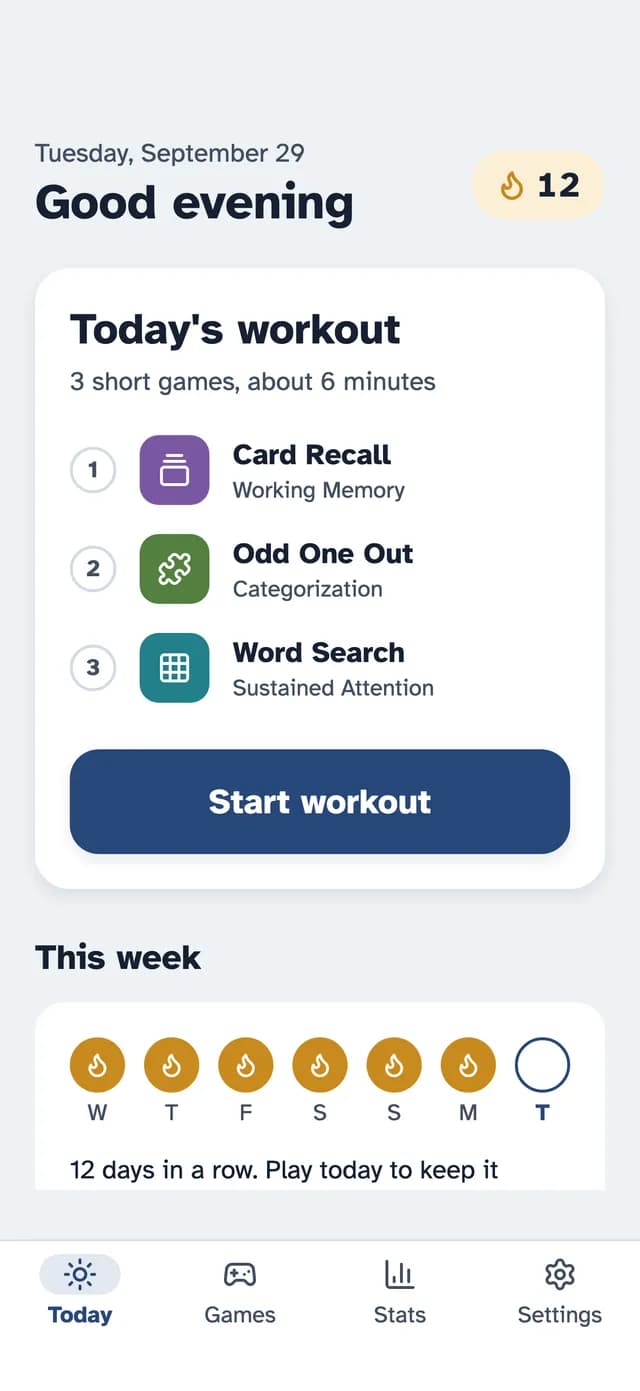
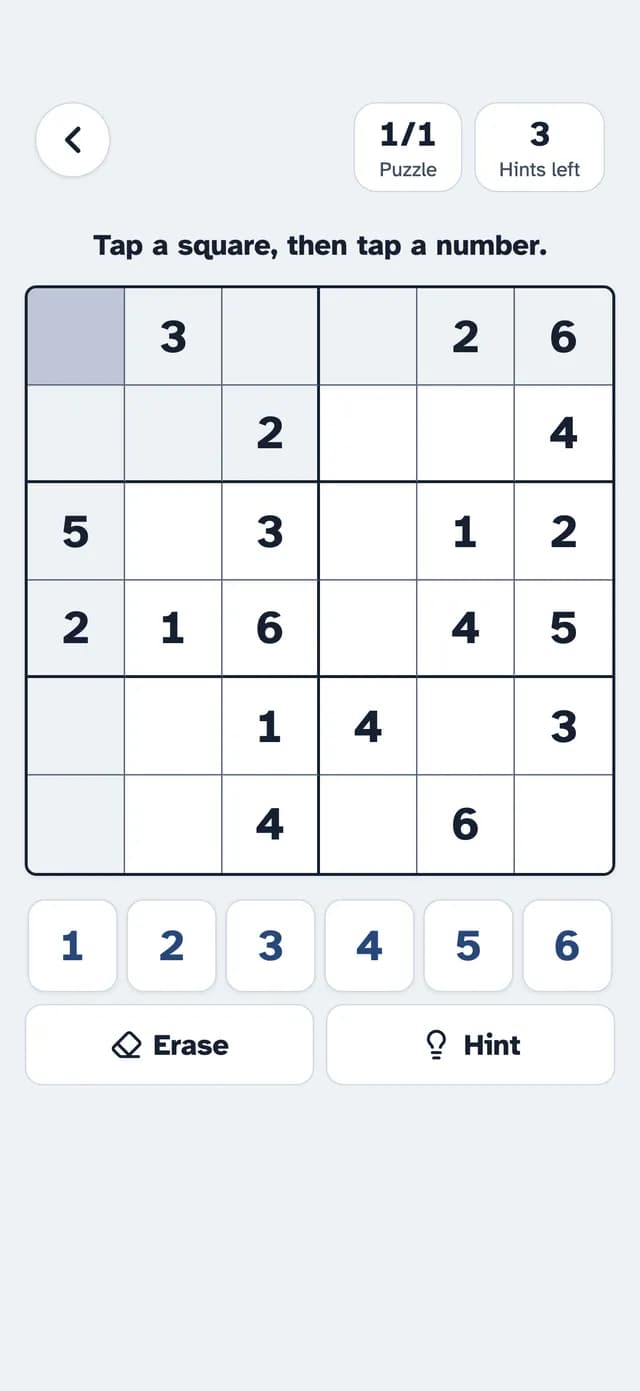
Some exercises are free with no ads, including Match Up, Word Search, Finish the Phrase and Mini Sudoku. SilverMind Premium unlocks everything and starts with a 7-day free trial. The app is available in 14 languages.
Keep Expectations Realistic
Games are a pleasant way to stay mentally engaged, but they are not medicine. Research on brain training is mixed, so play for enjoyment and routine. If you are wondering how much screen time is right, our article on screen time for seniors offers a balanced view.
The Bottom Line
Pick a game type the person already likes, check the listing for ads and purchases, enlarge the text, and play the first round together. On an iPhone, big text and big buttons matter even more than on a tablet.
Research & References
- Cognitive Health and Older Adults - National Institute on Aging
- Accessibility - Apple Support